How to Block Spam Calls on iPhone: Free Steps That Work
Quick Answer
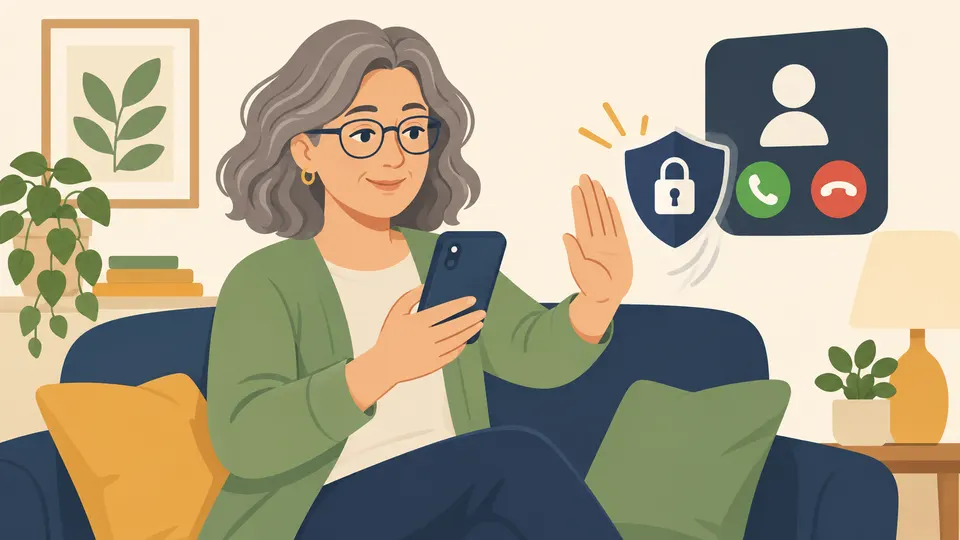
You can cut down spam calls on an iPhone for free. Turn on call screening in Settings, block numbers you do not want, and ask your carrier about its free call-blocking tool. No setting stops every call, because scammers keep changing numbers. Do not call a number back or press any button during a call. Hang up, and report it if you want to help.
On this page
- Why do spam calls keep coming even after I block numbers?
- How do I turn on Screen Unknown Callers on iPhone?
- What other call filters does the iPhone have?
- How do I block a number on my iPhone?
- Does the Do Not Call Registry stop spam calls?
- What can my phone company do about spam calls?
- What should I do when a spam call gets through?
- Frequently Asked Questions
- Our Take
- Sources
Key Takeaways
- Your iPhone can screen calls from numbers that are not in your Contacts. Apple's menu is Settings, then Apps, then Phone, then Screen Unknown Callers.
- Blocking one number is easy, but scammers switch numbers. Screening works better than blocking alone.
- The National Do Not Call Registry does not stop scammers. The FTC says so plainly.
- If a call is a robocall, hang up. Do not press a number and do not call back.
- Menu names change between iPhone software versions. If yours looks different, search the Settings app for "Phone".
Why do spam calls keep coming even after I block numbers?
Most spam callers do not use one number. They use many, and some fake the number that shows on your screen. Blocking the number you just got does not block the next one.
That is not your fault. It is how these calls work. So the best plan has three layers: let your iPhone screen unknown callers, let your carrier filter calls, and block the numbers that slip through.
If you are not sure whether a call or text is a scam, our guide Is This a Scam? How to Check a Text, Call or Email walks through the four signs the FTC teaches.
How do I turn on Screen Unknown Callers on iPhone?
This is the most useful setting. It deals with calls from numbers that are not saved in your Contacts. Apple's current page says to go to Settings, then Apps, then Phone, and choose one of three options [1]:
- Never: calls from unsaved numbers ring like any other call.
- Ask Reason for Calling: these calls are screened.
- Silence: these calls are silenced automatically and sent to voicemail.
Apple also says to add important numbers to your Contacts, so you always see those calls [1]. Think of your doctor, your pharmacy and your child's school. Do that first, then turn on Silence.
Two things to know. First, Apple says that if you are roaming, calls are not screened, whatever your settings say [1]. Second, if you call emergency services, call screening turns off for 24 hours [1].
Calls that Silence sends to voicemail are not lost. A real caller can leave a message. A scammer often will not.
What other call filters does the iPhone have?
On the same Apple page, under Call Filtering, you can turn on Unknown Callers. Missed calls and voicemails from unknown numbers then move to a separate Unknown Callers list in the Phone app. Apple also lists a spam filter that you can turn on in that same Call Filtering section [1].
Apple's page does not explain how the spam filter decides what is spam, so we will not guess. It is free, and it is worth turning on.
The menu names above are from Apple's current page. If your iPhone is older, you may see slightly different names. Apple notes that on software earlier than iOS 17, Live Voicemail also needs to be turned on to use call screening [1]. If you cannot find a setting, open Settings and type "Phone" in the search box at the top.
How do I block a number on my iPhone?
Blocking is a good tool for a number that keeps calling, but it only stops that one number. Apple gives these steps [2]:
- Open the Phone app and tap Recents.
- Find the number and tap the Info button next to it.
- Scroll down and tap Block Caller.
You can also block from inside Settings. Open Settings, tap Privacy & Security, tap Blocked Contacts, then tap Add Blocked Contact and enter the number [2]. In the same place you can remove a block later, by tapping Edit and then Unblock.
Apple says that if you block someone on one device, they are blocked on all Apple devices signed in to the same Apple Account [1].
Blocking does not report the caller to anyone. It only stops that one number from reaching you.
Does the Do Not Call Registry stop spam calls?
Not the scam ones. The FTC says: "Being on the Registry won't stop scammers from making illegal calls" [3]. The Registry mainly targets sales calls from legitimate businesses, and it may cut down on calls and make scams easier to spot.
Still, it is free and takes a few minutes. You can sign up at DoNotCall.gov, or call 1-888-382-1222 from the phone you want to register [4].
If a caller says you are on the Do Not Call list and offers to remove you for a fee, that is a warning sign. The Registry is free.
What can my phone company do about spam calls?
Ask your carrier. The FTC says to check your phone provider's website or call customer service and ask about call-blocking or call-labeling services. Some are free and some cost money [3]. Start with the free ones. Use the number on your phone bill or the carrier's official website, not a number from a text or a voicemail.
Call-blocking apps are another choice. The FTC says an app acts like a filter and uses call data and reports to flag likely scams. Some are free and some charge a fee. Check the ratings and read the privacy policy, especially if the app asks to see your contacts [3]. You do not need to buy one to get started.
On an Android phone, Google says the Phone app on a Pixel has its own screening: open the Phone app, tap More, then Settings, then Spam and Call Screen [5].
Do Not Disturb can also help. The FTC notes it can send calls to voicemail during hours you choose [3].
What should I do when a spam call gets through?
Follow these steps. They are written so you can print them.
- Hang up. If it is a recorded message, do not press any number. The FTC says pressing a number could lead to more robocalls [3].
- Do not call the number back. Calling back can confirm that your number works.
- Do not give any information. Real banks and agencies do not ask you to read out codes, passwords or card numbers on an unexpected call.
- Block the number from Recents, using the steps above.
- Write down the details. Note the number that showed on your screen, any callback number they gave, and the date and time.
- Report it. If you did not lose money, the FTC says to report the call at DoNotCall.gov. If you lost money, or have information about the caller, report it at ReportFraud.ftc.gov [3].
If you already paid or gave out information, you did not do anything wrong. These calls are built to be convincing. Go to What to Do if You Were Scammed for next steps, and see How to Report a Scam for where to report.
Spam texts follow a similar plan. Read How to Stop Spam Texts for the text side. To make your accounts harder to break into even if a scammer gets a code, see Two-Step Verification Explained. Our Red Flag Checklist is a quick printable list of warning signs.
Frequently Asked Questions
Will Silence Unknown Callers block my doctor or my pharmacy?
It can send their call to voicemail if the number is not saved in your Contacts. Apple says to add important numbers to your Contacts so you always see those calls [1]. Waiting for a voicemail is also a way to check that a call is real.
Is it safe to answer a call just to see who it is?
Answering is not usually harmful by itself, but it is best to let unknown numbers go to voicemail. If you do answer and it is a recording, hang up. Do not press any number.
Should I call the number back to ask them to stop?
No. The FTC advises hanging up and not calling back [3]. Calling a scammer can lead to more calls.
What if I use an Android phone instead?
Google's Phone app has its own tools. On a Pixel, Google says to open the Phone app, tap More, then Settings, then Spam and Call Screen or Call Screen. On Pixel 7 and later, you can choose under Protection level which calls are screened, such as Spam, Possibly faked numbers and First-time callers [5]. Menus differ by phone maker.
Our Take
We think the best plan for most people is the simple one. Turn on Screen Unknown Callers, put the numbers you trust in Contacts, and ask your carrier about its free tool. Do not spend money on a call-blocking app until you have tried the free options. We also want readers to hear this clearly: a spam call getting through is not a sign that you did something wrong. Scammers send millions of calls, and some will always reach a phone. The FTC's advice to hang up, not call back and report is easy to follow, and it is enough for most days. If a call has you worried, take a breath, hang up, and look up the real number of the company on its official website.
Sources
- Manage unknown callers on iPhone. Apple Support, 2026.
- Block phone numbers, contacts and emails on iPhone. Apple Support, 2026.
- How To Block Unwanted Calls. Federal Trade Commission, 2026.
- National Do Not Call Registry FAQs. Federal Trade Commission, 2026.
- Use Call Screen on your Pixel phone. Google Phone Help, 2026.
Scam Signals is an independent site, not a government agency. Phone numbers and report links come only from official websites and show the date we checked them. Never call a number given to you in a suspicious message. Spotted an error? Tell us.
More Ways to Stay Safe
Two-Step Verification: What It Is and How to Turn It On
Two-step verification adds a second check after your password. Learn how to turn it on for Apple, Google and your bank, and why you must never share a code.
How to Stop Spam Texts on iPhone and Android
Cut down spam and scam texts for free: forward to 7726, filter unknown senders on iPhone, turn on Android spam protection and report. Plain steps for any age.
How to Freeze Your Credit: A Free Step-by-Step Guide
Learn how to freeze your credit for free at Equifax, Experian and TransUnion, how to lift it when you need credit, and how it differs from a fraud alert.