Is This a Scam? How to Check a Text, Call, Email or Website
Quick Answer
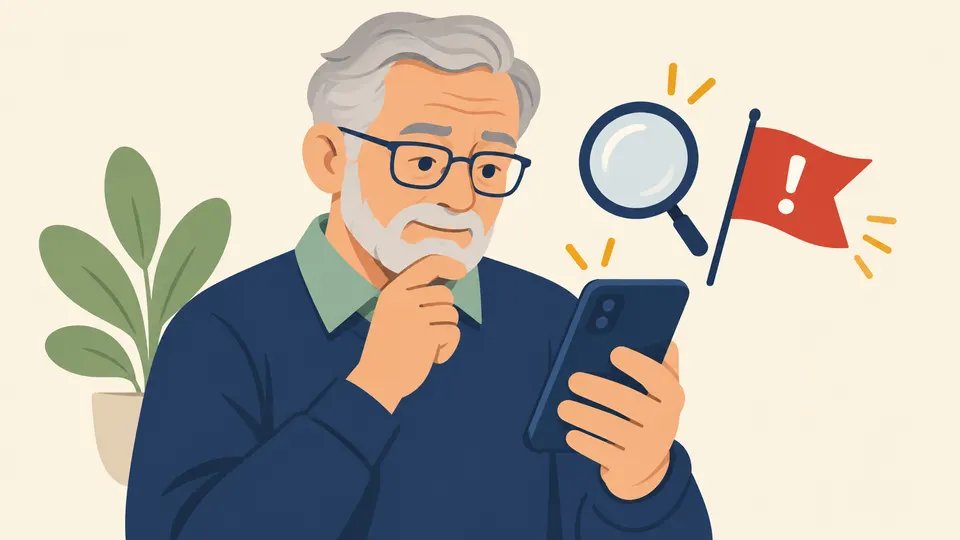
A message may be a scam if it pretends to be someone you trust, describes a problem or a prize, pushes you to act right away, or tells you exactly how to pay. Do not click, reply or call the number it gives you. Look up the real company yourself and contact it that way. If you are still unsure, talk to someone you trust before you do anything.
On this page
Key Takeaways
- The FTC lists four signs of a scam: pretending to be someone you know, a problem or a prize, pressure to act now, and a demand for a specific way to pay.
- You can check any message safely without clicking or calling back. Use a phone number or website you look up yourself.
- Honest organizations will not call, email or text to ask for personal information.
- If you already clicked, paid or shared information, act quickly and report it. You are not alone.
- When in doubt, stop and ask a family member or a friend.
What are the four signs of a scam?
The Federal Trade Commission (FTC), the government agency that protects consumers, names four signs [1].
- Scammers pretend to be from an organization you know. They may claim to be from the government or a business you use.
- Scammers say there is a problem or a prize. You owe money, your account has a problem, or you won something.
- Scammers pressure you to act right away. The FTC says they want you to act before you have time to think.
- Scammers tell you how to pay. They often insist on cryptocurrency, wire transfers, payment apps or gift cards.
One sign alone does not prove a scam. But when you see two or three together, stop. Real organizations give you time to check.
The picture below shows a made-up text message. Every detail is fictional. Look at how it uses all four signs.
How can I check a message without risk?
Use this short test. It works for texts, calls, emails and social media messages. You can print the picture and keep it near your phone.
The FTC gives the same advice. Even if a message seems to come from a company you use, avoid clicking its links. Contact the company through a website or phone number you look up yourself [1].
Is this text message a scam?
Texts are one of the most common ways scammers reach people. A text about a package, a toll, a bank alert or a prize you never entered deserves care.
Do not click the link. Do not reply. Instead:
- Look at the four signs above.
- If it mentions a company you use, open that company's own app or website, or look up its number yourself.
- Forward the text to 7726 (SPAM). The FTC says this helps your wireless provider spot and block similar messages [2].
- Delete it.
Our guide to stopping spam texts shows how to filter them on your phone.
Is this phone call a scam?
You cannot always tell by voice or by the number on the screen, because scammers can make a different name or number appear. Use these rules instead:
- Honest organizations will not call, text or email to ask for personal information such as your Social Security number, bank account or credit card number [1].
- If the caller says there is an emergency, a legal problem or a prize, hang up. You do not have to be polite to protect yourself.
- If you think the call might be real, hang up and call the company back using the number on your card, your statement or the company's official website. Never use a number the caller gave you.
- Never read out a code that was sent to your phone.
You can also reduce unwanted calls. Our guide on how to block spam calls on iPhone walks through the settings.
Is this email a scam?
A phishing email is a fake message that tries to get your information or money. It often looks like it comes from a company you know.
The FTC says to ask yourself two questions. Do you have an account with the company, or do you know the sender? If not, report the message and delete it. If you do have an account, do not use the links or attachments in the message. Contact the company through a phone number or website you know is real [2].
Watch for a generic greeting, a claim of a problem with your account, or an invoice you do not recognize. Many scam emails pretend to come from well known companies. To see how these look, read about the PayPal scam email and the Geek Squad scam email, which both pretend to be from those companies. These scams use the company name, so you should always check with the real company yourself.
The FTC also says you can forward phishing emails to reportphishing@apwg.org [2].
Is this website real?
Scam websites can look very polished. Before you type in a card number or a password, take a moment to check. Type the address yourself rather than following a link. Look for a real way to contact the business, and think twice about a price that seems too good to be true. Pay with a credit card if you can, because the FTC says federal law protects you from unauthorized use of your credit card [3]. Be very wary of any seller who wants a wire transfer, a gift card or cryptocurrency.
Our guide on how to tell if a website is legit has eight checks you can use before you buy anything.
What if it matches a known scam?
Some scams use the same story again and again. If your message sounds like one of these, our guides explain what scammers do and how to respond:
- A call or text that says you won a prize but must pay first. Publishers Clearing House says on its own site that "No purchase is ever necessary to enter or win any of our giveaways" [4]. See our guide to the Publishers Clearing House scam.
- A message that says your bank is calling and you must send money to protect it. Zelle says to contact your bank or credit union if you think you have been scammed [5]. See our guide to the Zelle scam.
You can also go through our red flag checklist for any message that worries you. It helps you compare a message against the common warning signs, one at a time. If you want to read about more scam types, browse our list of common scams.
What should I do next?
Take a breath first. Scammers count on fear and speed, and a few quiet minutes are your best tool. What you do next depends on how far things went. Nothing here has to be done perfectly, and you can always ask a family member to sit with you while you work through it.
If you only saw the message. Delete it. Block the sender. Keep a screenshot first if you plan to report it. You can report it at ReportFraud.ftc.gov, which helps the FTC spot trends.
If you clicked a link but did nothing else. Do not enter anything. Close the page. If you typed a password, change it on the real site and anywhere you reused it.
If you shared information or sent money. Act now:
- Stop all contact with the person.
- If you paid, contact your bank, card company or payment app right away. Use the number on the back of your card or on your statement.
- Report it at ReportFraud.ftc.gov. The FTC says reports help it build cases and spot trends [3].
- Use our scammed what now tool for steps that match how you paid.
- Read how to report a scam to see which other agencies to tell.
If you are asked to pay with a gift card, crypto or a wire, stop. Real businesses and agencies do not ask for these. A free credit freeze and two-step verification add protection for the future.
Frequently Asked Questions
Can I tell a scam by the phone number?
Not reliably. Scammers can make a number or name look real on your screen. Judge the message by what it asks you to do, not by who it says it is.
Is it safe to open a text if I do not click anything?
Reading a text is not the risk. Clicking its links, replying with personal details or sending money is. If you are not sure, delete it.
What if the message used my real name or bank?
Scammers sometimes have some of your details. That does not make the message real. Contact your bank through the number on your card or statement. Never use a number from the message itself. If the message asks you to log in, open the bank app or type the bank address yourself instead.
Should I tell my family?
Yes. Talking about it can help you realize it is a scam, as the FTC advises. It also helps your family stay alert.
Our Take
We believe most people do not need to become scam experts. You need one habit: pause, then check it yourself through a number or website you look up. The FTC's four signs give you a simple test, and the sources we cite agree that real organizations do not rush you or ask for personal details by call, text or email. In our view, the pause matters most, because scams are built to take it away. If a message makes your heart race, treat that feeling as a signal. Close it, take a breath and ask someone you trust. Nobody should feel bad for being targeted. Even careful people get scam messages every week. What counts is what you do next.
Sources
- How To Avoid a Scam. Federal Trade Commission.
- How To Recognize and Avoid Phishing Scams. Federal Trade Commission, 2022.
- What To Do if You Were Scammed. Federal Trade Commission, 2026.
- Frequently Asked Questions. Publishers Clearing House, 2026.
- Understanding fraud and scams. Zelle, 2026.
Scam Signals is an independent site, not a government agency. Phone numbers and report links come only from official websites and show the date we checked them. Never call a number given to you in a suspicious message. Spotted an error? Tell us.
More Ways to Stay Safe
Is This Website Legit? 8 Checks Before You Buy
Not sure if an online store is real? Use these 8 simple checks, based on FTC advice, to spot a fake shop before you pay and to protect your money.